VITURE contacted me about putting together coverage around the Beast XR glasses in the form of this review. Despite being gifted this pair of glasses and a host of its accessories at no cost, this doesn’t influence my opinion on them whatsoever, and that everything I am about to say comes directly from my own personal thoughts on the glasses, both good, bad, and in between.
I'll also stress that this review is from the opinion of someone who has zero history with other glasses on the market, and that the Beast XR is the first time I've ever tried on or used XR glasses in any respect. I have an extensive history with VR, through various headsets, but not XR, so keep that in mind when reading this review or taking my thoughts into consideration. This will also not be a tech heavy review and will be fairly user friendly.
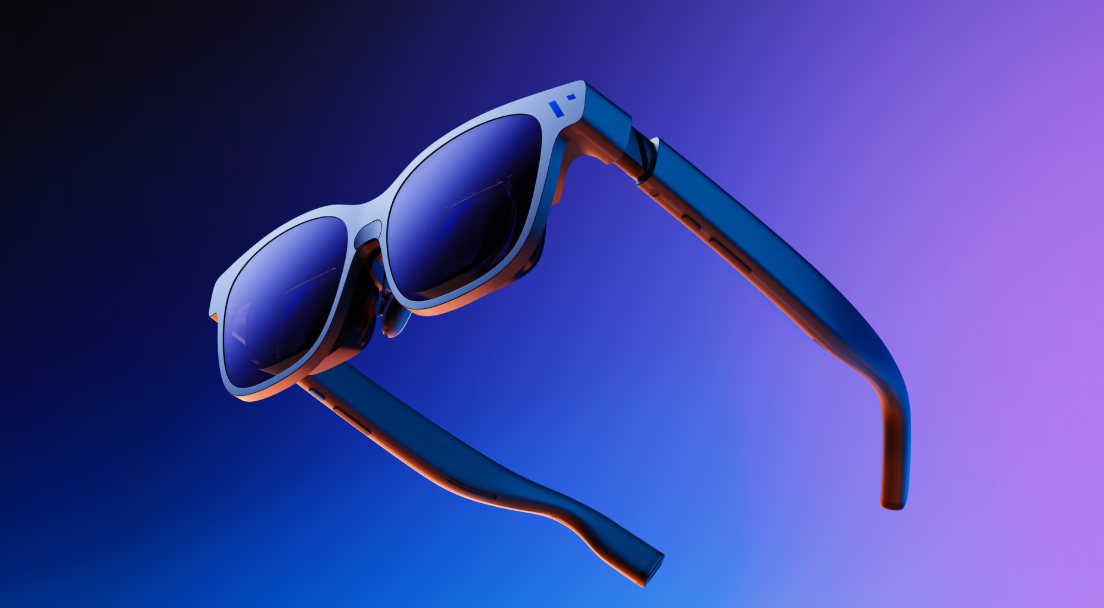
I've had the last week to truly experience VITURE’s latest entry into the XR glasses space with the Beast XR, their follow up to the Luma Ultra and Pro models. VITURE themselves describe the Beast XR as “When true power is unleashed, nothing comes close. VITURE Beast has awoken: our biggest, boldest, most customizable XR experience yet.”
Does that hold true? In my limited experience? Yes.
Technology throughout the years, and even decades, has allowed gaming to evolve past the tv screen. From handhelds, to VR goggles, to even cloud gaming on your phone, advancements to allow you game everywhere and anywhere has truly and genuinely evolved.
When people think about smart glasses, VR is often a topic of comparison when discussing the technology, even if they don't share too much in common when you really break it down.
VR also hasn't really broken through to the mainstream market in ways many tech giants had hoped for, largely due to comfort, cost, and compatibility rarely aligning. VR, even as slim as it gets can still be a bulky experience that isn't a piece of technology that everyone can easily pick up and use.
It also can lead to motion sickness in several people, keeping the tech at arm's reach for a good portion of the population. It's a piece of hardware with some extremely high highs and some even lower lows.
With the rise of Smart Glasses, this ease of use technology has become a very mainstream product. These vary in purpose and function, but they often require very little to get up and going. It also helps that putting them on and taking them off is no different than just putting a pair of regular glasses. You're not strapped into anything and are largely free of the limitations of what VR needs to be attached to and the content you have available.
XR glasses sit in the middle between VR and your basic Smart Glasses as while they do require a cabled connection, they provide a view within the glasses that provide a massive screen that simulates a tv directly in front of you. They can be attached to almost anything, depending on certain accessories, and their function ranges from entertainment, gaming, to productivity in the workplace. As we are a gaming outlet, this review will primarily talk about the benefits toward gaming.
XR glasses allow you to take your entertainment with you, such as the Nintendo Switch, Steam Deck, your phone, a laptop and more. With the right accessories, or none in some cases, you'll have that massive view screen with you on a long flight, walking on the treadmill, or taking in some fresh air in a public park. XR glasses truly bring your entertainment with you, no matter the scenario.
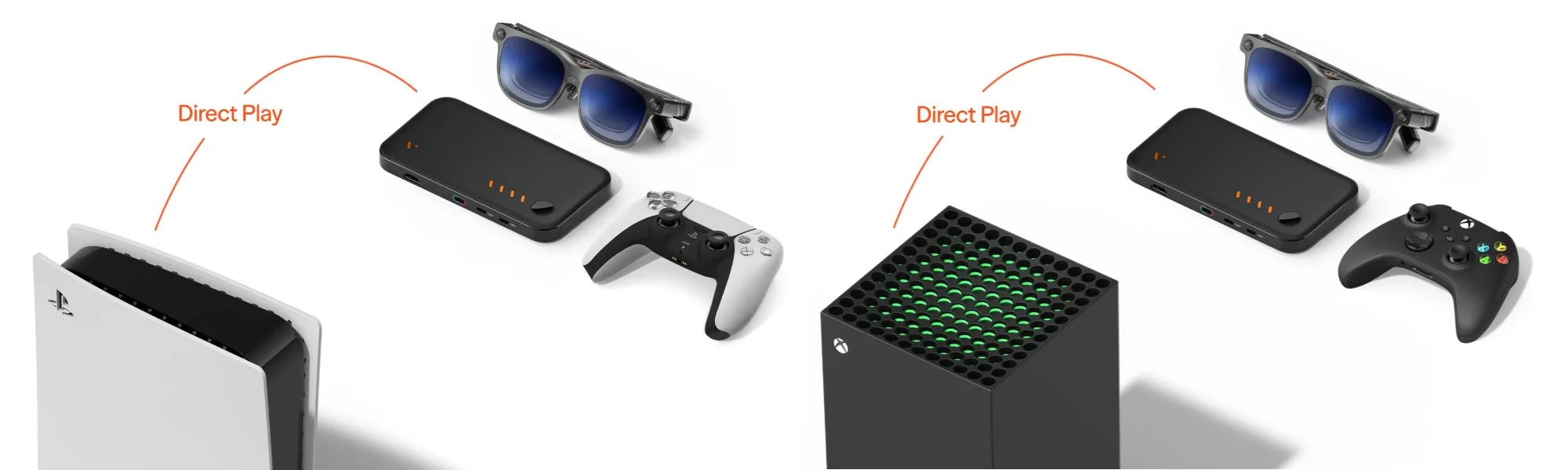
During the past week, I've used the Beast XR glasses on my Nintendo Switch 2, PS5, Xbox Series X, my Google Pixel 9, and my Lenovo Laptop. However, to take advantage of everything the glasses can do, I was sent a variety of items to make testing the glasses extremely easy and convenient.
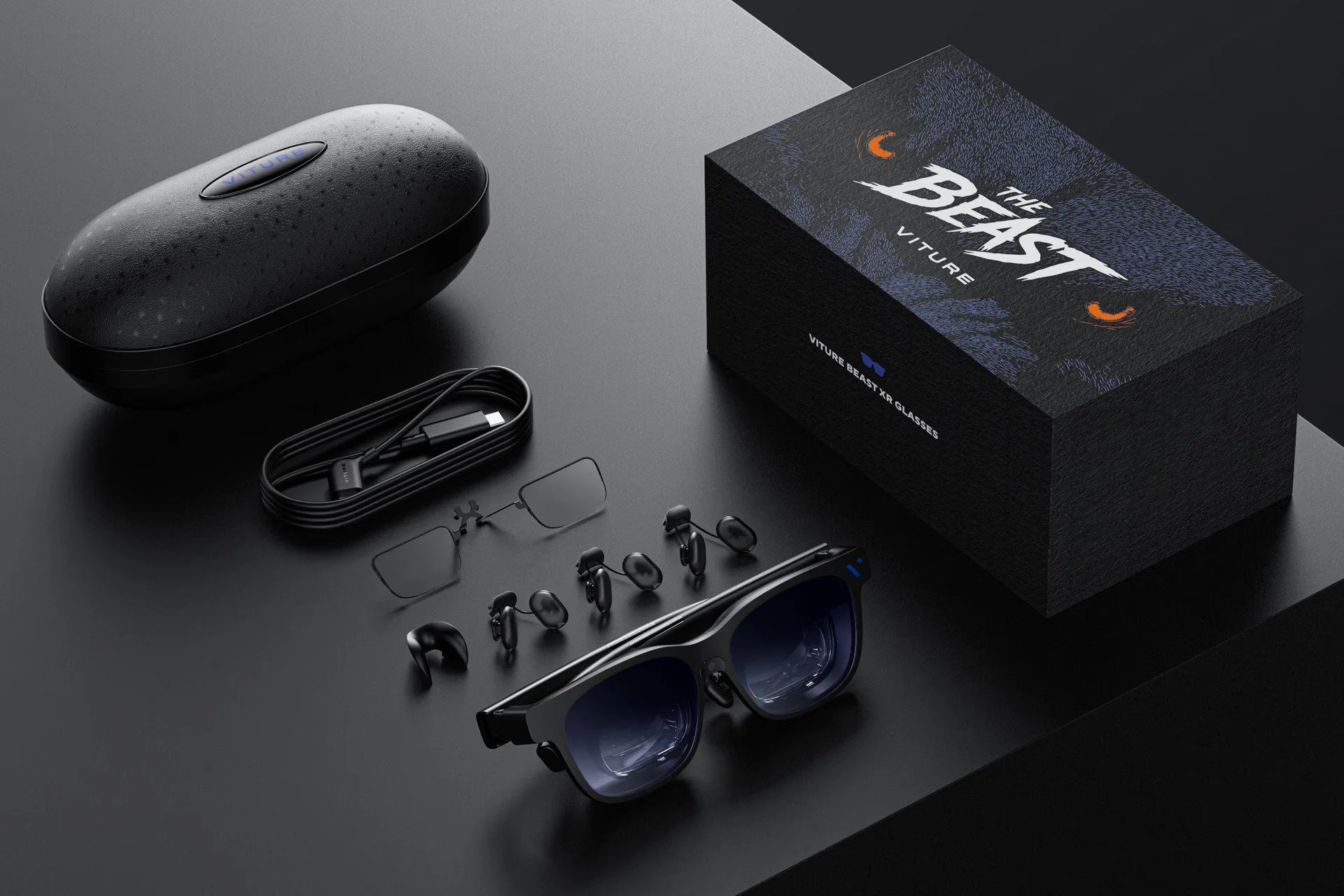
Here is what I was sent:
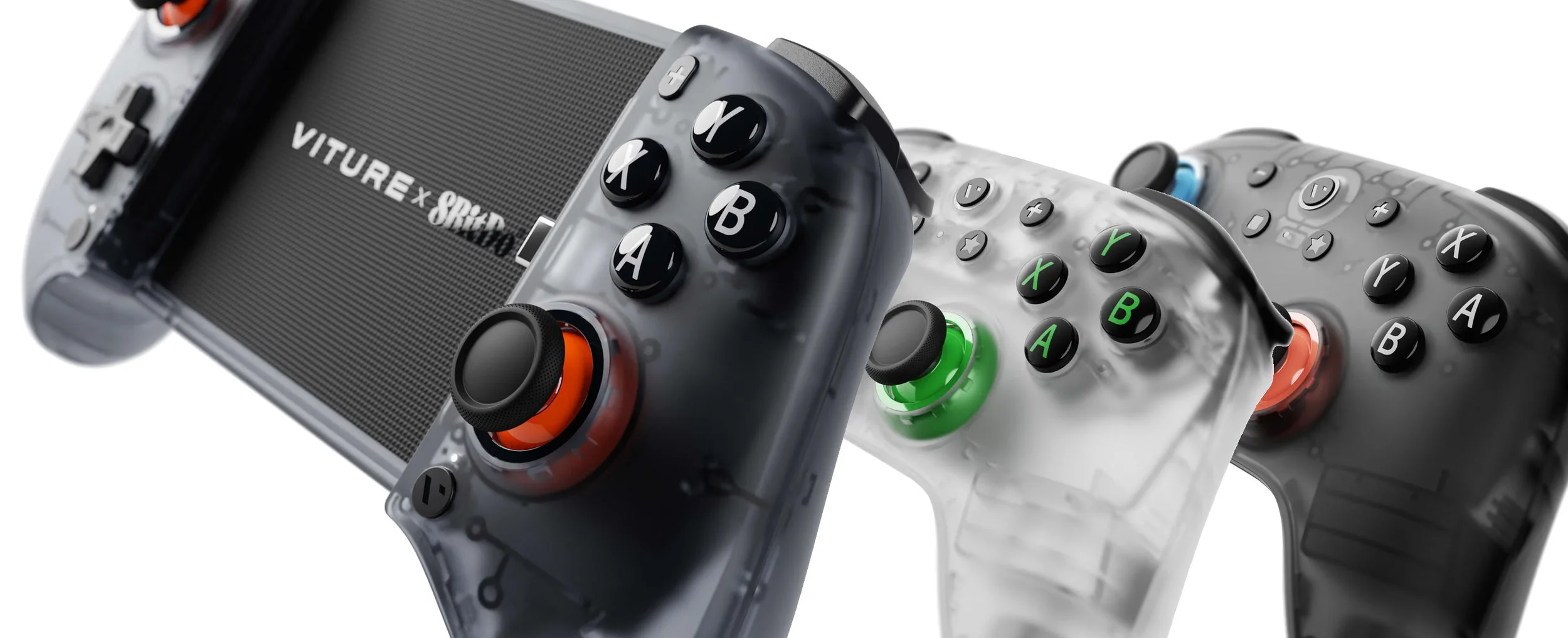
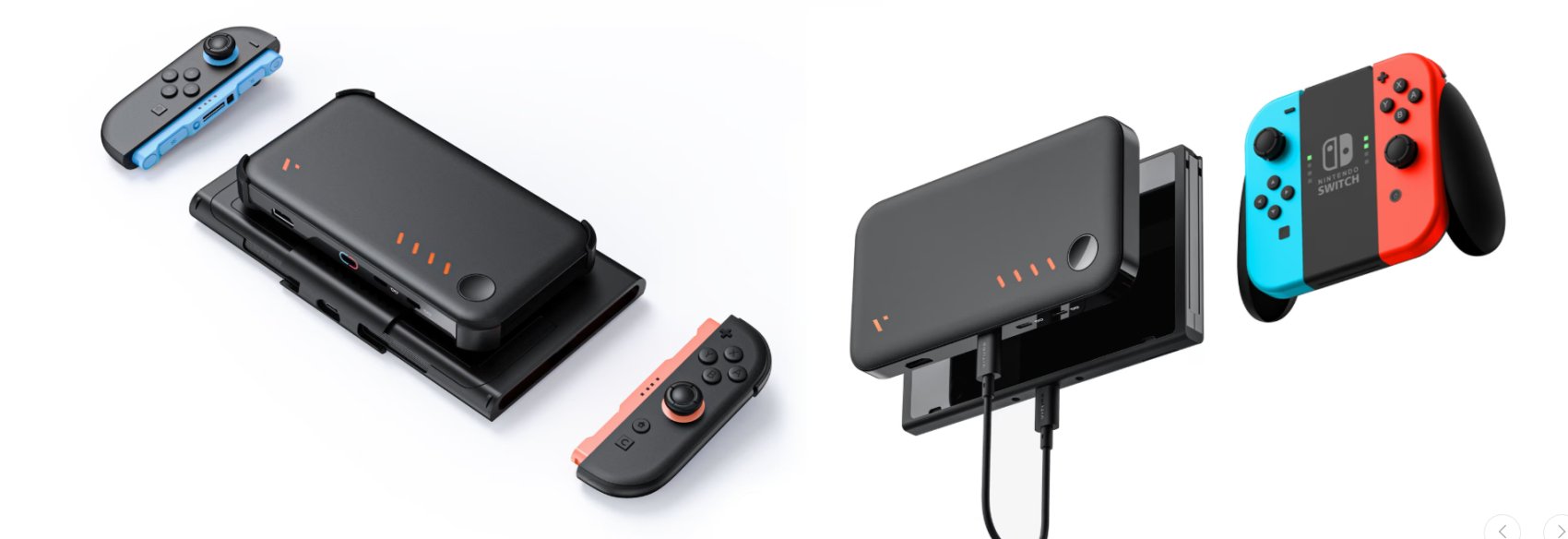
My major focus on the glasses was via the Nintendo Switch 2, as I feel this is a good selling point for those who want the big screen experience on the go. Taking my glasses and my Switch 2 to work meant I didn't need to compromise my tv experience away from home. The added inclusion of the Mobile Dock and the Switch 2 Mount meant that I could enjoy my Switch 2 on my break with a massive screen in front of me. And, combined with the 8Bit DO VITURE Switch 2 controller, it gave me the “at home” experience while sitting in the employee's lounge, without compromise.
While the addition of the Mobile Dock is required for Switch 2 play, as there is a need for power for the glasses and to output video through the USB-C via the Switch 2, I truly feel it is worth it as it not only acts as a battery back, but grants so much more than just compatibility with the Switch 2. You don't require the kit to equip everything to the Switch 2, but It does make it a bit more convenient, especially if you lack the space and need to hold the console.
The Mobile Dock also has a HDMI slot, which is where compatibility with the PS5, Xbox Series X/S, and really any platform that has HDMI out. While you likely aren’t taking a home console on the go, it nonetheless is great to see this level of compatibility.
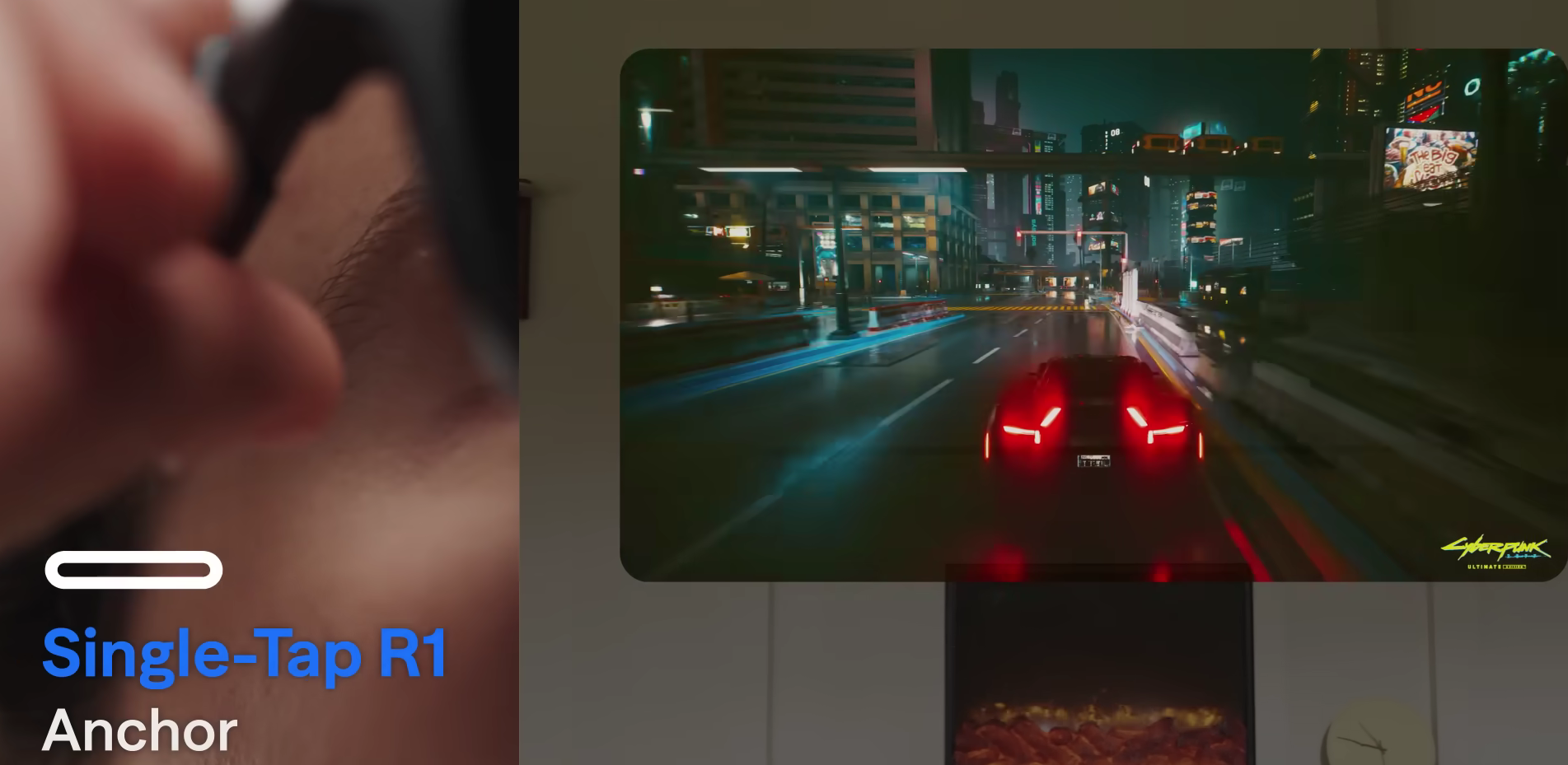
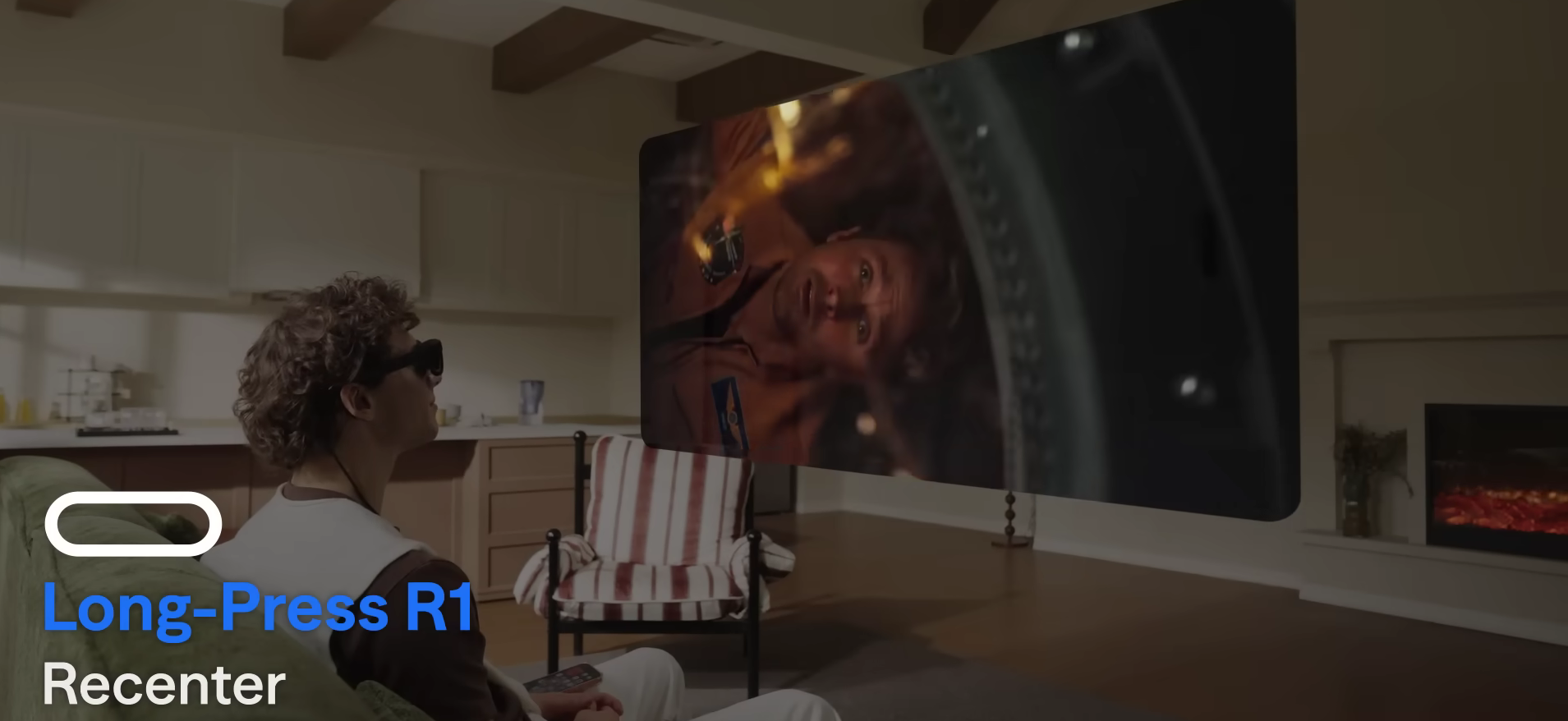
The glasses also support multiple viewing angles, with the ability to anchor the image in place. This 3DoF (Degrees of Freedom) Anchor mode is what I ultimately settled on as it keeps the image anchored, regardless of where I look. While this mode was my go-to, I did find I had to readjust it to be directly in front of me fairly often if I looked to the side or glanced at my phone. Thankfully, to set this, you simply hold down one button for about a second.
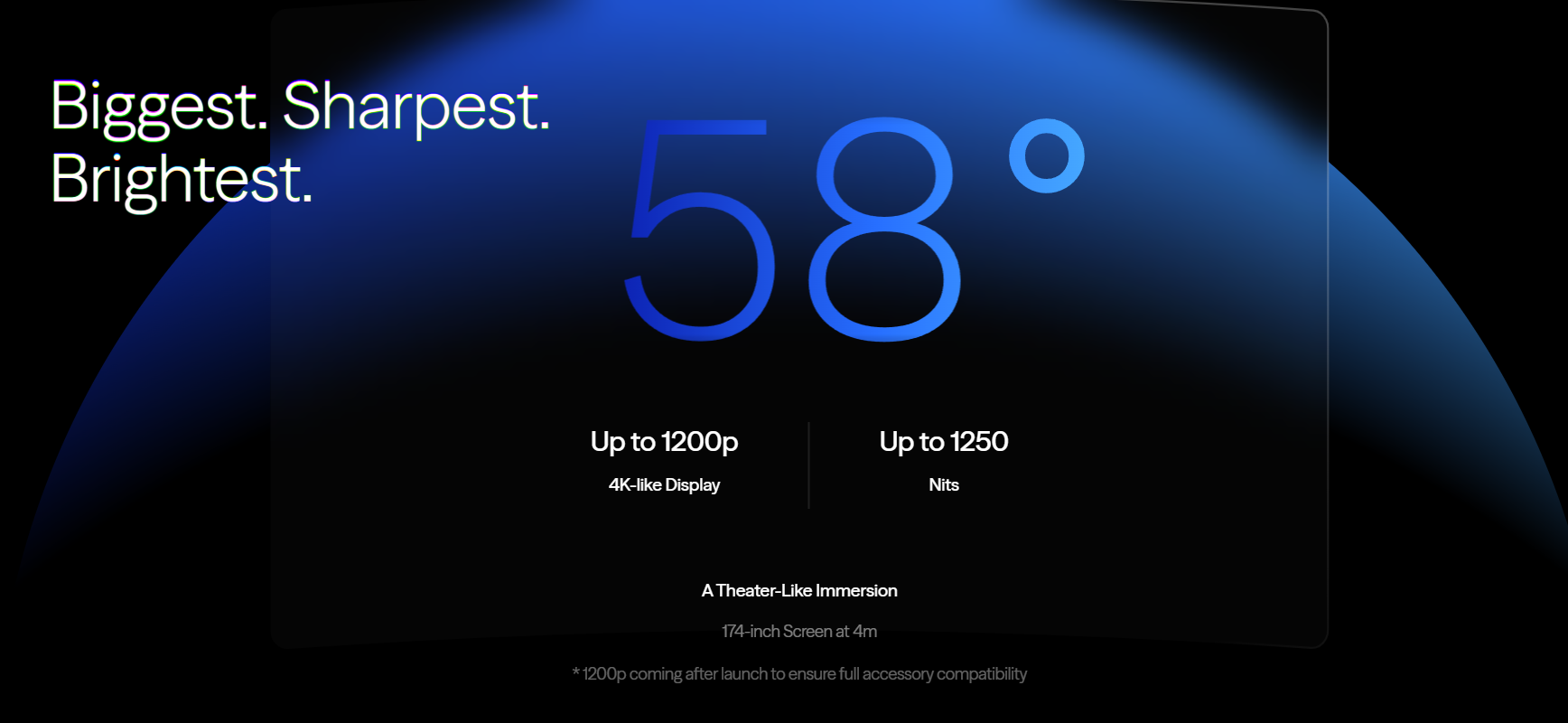
You can also adjust not just the distance you want to sit to the screen, but the size of the screen as well, accommodating a screen size up to 174” with 58° viewing angles, even if right eye to left eye and left eye to right eye doesn't fully feel at 58°. It's really only something you'll notice if you are looking for it.
As for specs, let’s get this out of the way before we dig in too much more.
Display & Optics
Panel Type: Dual 0.68" Sony Micro-OLED (largest in its class).
Resolution: 1920 x 1200 per eye (3840 x 1200), offering "4K-like" clarity.
Field of View (FOV): 58° (provides a 174-inch virtual screen at 4 meters).
Brightness: Up to 1250 nits peak perceived brightness.
Refresh Rate: 120 Hz.
Color Accuracy: 108% sRGB with per-unit factory color calibration.
Optics: High-efficiency optical stack with flat MTF (Modulation Transfer Function) across the full FOV, reducing edge blur.
Spatial Features & Tracking
Built-in 3DoF: Features native 3DoF (Degrees of Freedom) tracking without needing external accessories, allowing for screen pinning, resizing, and locking.
View Modes: Includes Anchor Mode, Smooth Follow, UltraWide, and Side View.
2D-to-3D Conversion: Real-time conversion of 2D content into 3D through the SpaceWalker app.
Design & Comfort
Weight: Approximately 88 grams.
Frame Material: Aerospace-grade aluminum-magnesium alloy with flexible temples.
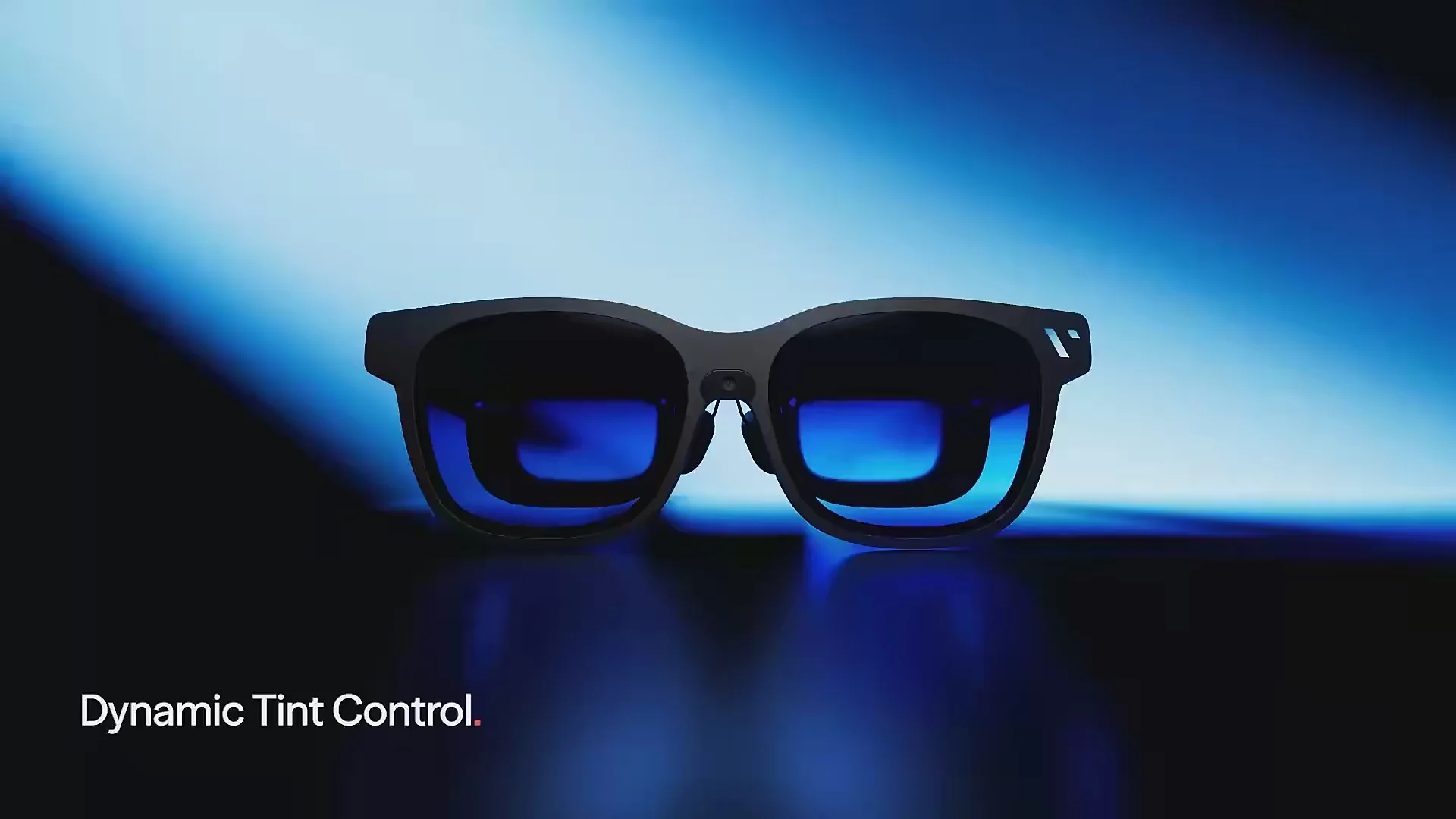
Lens Tint: 9-level adjustable electrochromic dimming (0.5% to 40% transmittance), providing up to 100% light blockage.
Myopia Control: Relies on prescription insert frames rather than built-in diopter dials.
IPD: 64.0 +/- 6.0 mm (available in Regular and Large sizes).
Audio & Connectivity
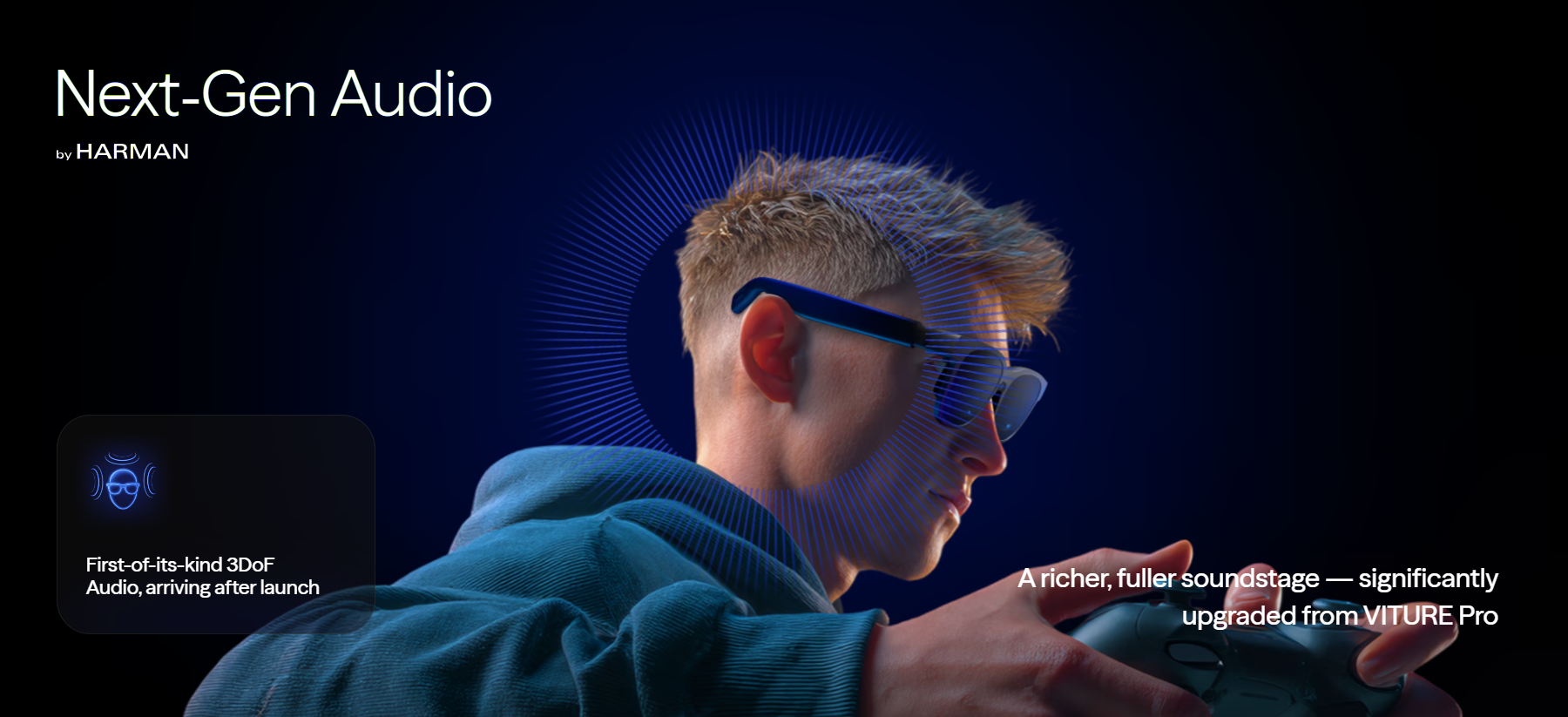
Audio: Built-in spatial audio speakers tuned by Harman AudioEFX.
Microphone: Integrated for communication.
Connectivity: USB-C (direct plug-and-play with compatible smartphones, laptops, and consoles).
Wear Detection: Included to automatically pause/dim when not in use.
Key Differences from Previous VITURE Models (Pro/Luma)
Larger Display: 0.68" panel vs 0.55" (Pro).
Wider FOV: 58° vs 52° (Luma Pro).
Higher Brightness: 1250 nits vs 1000 nits (Luma Pro).
Material: Full-metal frame vs plastic/hybrid.
No Diopter Dials: The Beast removes built-in myopia dials for better optical performance, requiring prescription inserts.
During my time using these on the Nintendo Switch 2, I tested Mouse P.I. For Hire, Trinity Trigger, and Pokopia, either at home or at work, and my experience with them was nearly flawless. While I've seen that Metroid Prime 4 runs at about half speed, VITURE is aware of this and is looking to address the issue. Mouse P.I. did have some grey bordering behind the text that I wasn't sure why it was doing this, but apart from some pixelation to farther away objects and characters, due to the game’s resolution, the game ran silky smooth, as did the others. It honestly felt like I was playing them on my tv at home.
Pokopia especially was a stand out, due to the bright colors and visuals, it was a real stand out. The Sony Micro-OLED panels are top notch here, and the audio is sharp, clear, and is a decent amount of volume too, ensuring you don’t miss out on even the most subtle sounds.
The Anchor mode is what I ended up really enjoying as it looks to where my eyes are navigating to. This does fade the screen away from where you are looking, but I never once minded it. This locks the image in place as opposed to following my head tilt, something the Smooth Follow mode does as well, but much slower to not induce the typical VR sweats. Anchor allowed me to lock the image, change the size of the screen if I wanted, which does reduce the fading from sight, and felt more natural to use.
The glasses support up to 1250 nits of brightness and it truly feels like you are looking at a bright and colorful OLED TV, as you have nearly 4K resolution afforded to you. The refresh rate on the glasses supports up to 120hz as of the latest patch, as early reviews of the glasses lacked this particular feature at the time.
The glasses are also extremely comfortable, and have multiple replacements for the nose pads. The kit comes with several, and these are easy to swap out. There is also an included cleaning cloth for the lens, as well as a spare pair of lenses, and the option to purchase lenses that work with your prescription.
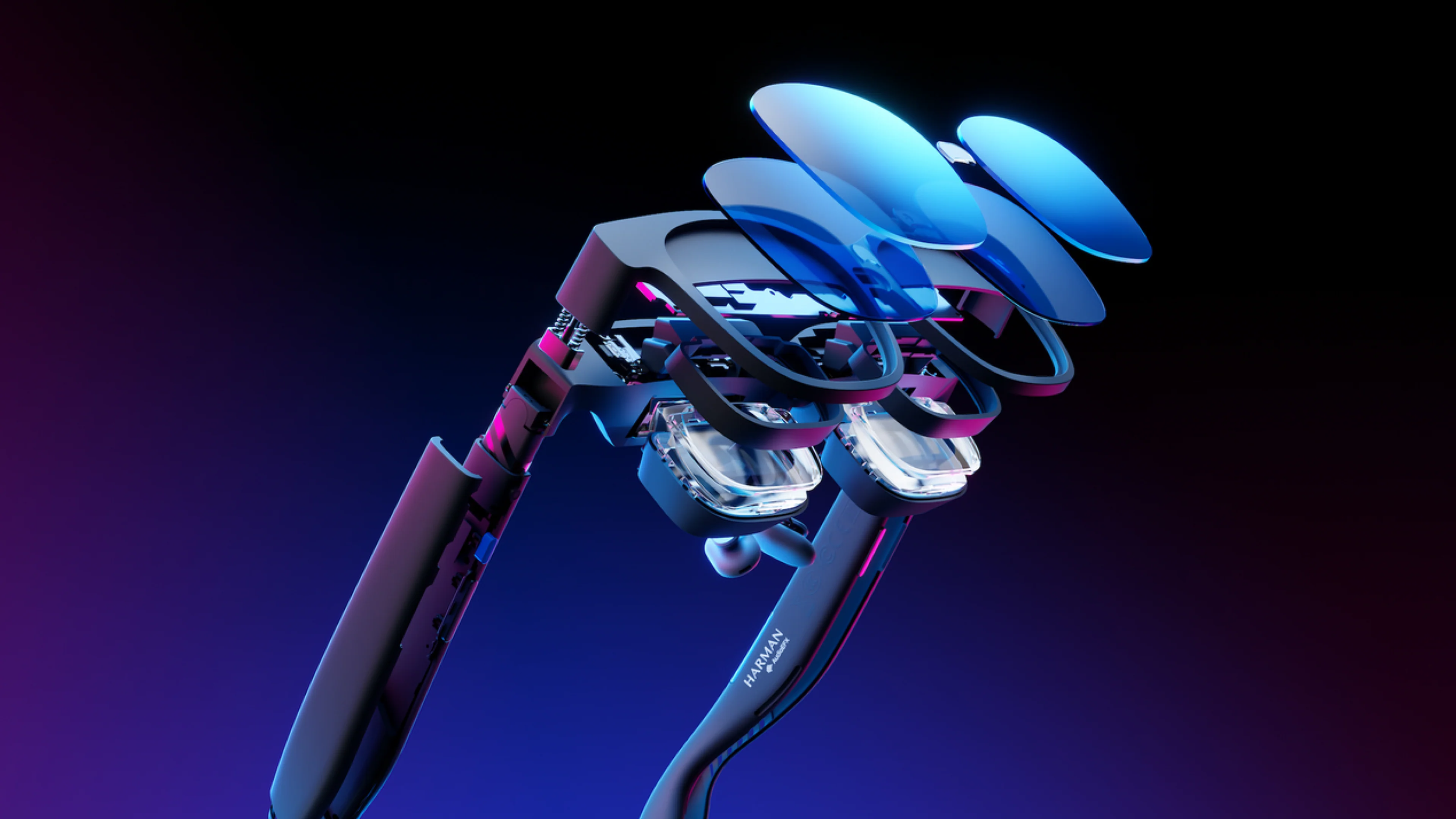
You can also adjust the tilt of the glasses as well via the hinges, and the temples of the glasses are also extremely comfortable. After about an hour of constant play, the glasses did get a bit warm, but never uncomfortable.
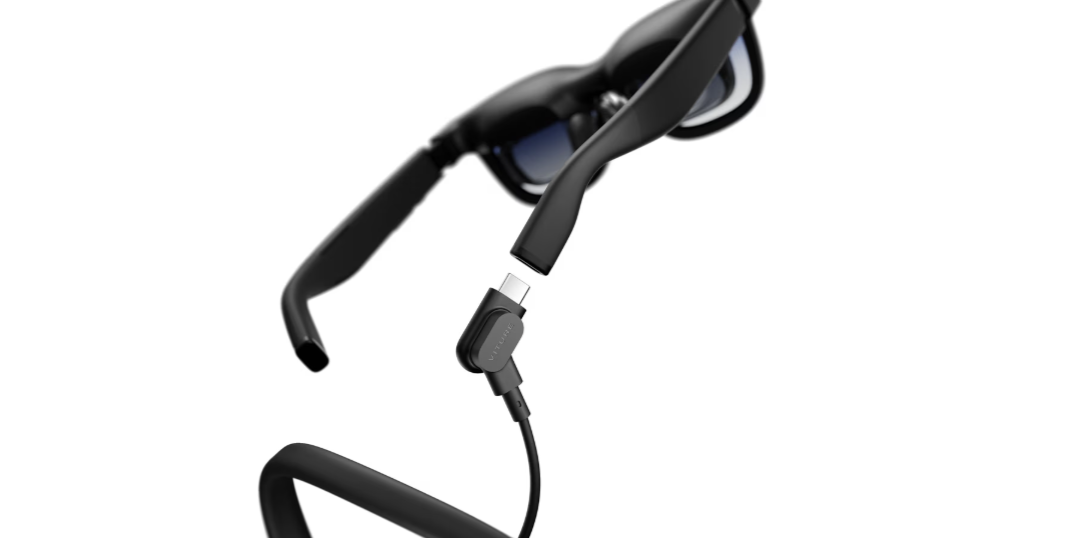
What is different with the Beast XR to even their previous model, from a hardware perspective, is the USB cord slots into the right temple tip of the glasses, and that the Beast XR lacks the Myopia Dials, meaning you cannot adjust the focus individually for each eye. This prevented the glasses from needing specific lenses for your prescription. This was removed to enhance the 3DoF feature on the Beast XR. As the prescription lenses are a small cost should you need them, the trade off here is largely worth it.
While I wasn't sure about the hard insert of the cable as opposed to the easy pull-off of the magnetic USB C cable in previous models, I never once had an issue with the cable getting in the way. Now, you might ask why the glasses need a cable in the first place, and that is due to the glasses lacking their own power source. This limits the heat and bulk of the glasses and makes them slim and comfortable, unlike VR goggles that are excessively bulky. And, to be honest, I rarely noticed the cable whatsoever. The cable that is included has a L shape to its connector, meaning it easily flows downward instead of protruding out.
When it comes to how I value these glasses, I look at three basic things; price, comfort, and compatibility. Right now, the Beast XR is priced extremely well based on previous models and the current competition. These are only $50 more than the LUMA Pro and based on previous reviews, the new features the Beast XR provide is certainly worth it. However, to really take advantage of the glasses, especially for gaming, there are some costs that start to add up, based on a few accessories, especially due to how essential a few can be.
If you are looking at the Beast XR glasses for your Switch or Switch 2, then you have the Moble Dock and the Switch 2 Mount Kit which together are priced at $120 at the time of this writing as they are currently on sale. If you are just wanting compatibility with your home consoles, or via the HDMI on your Switch, or not wanting the mount, then the Mobile Dock alone is a requirement, priced individually at $100USD on sale. To be 100% honest, the Mobile Dock is absolutely essential to this whole experience as it open the compatibility range to nearly everything, as well as acting as a power source.
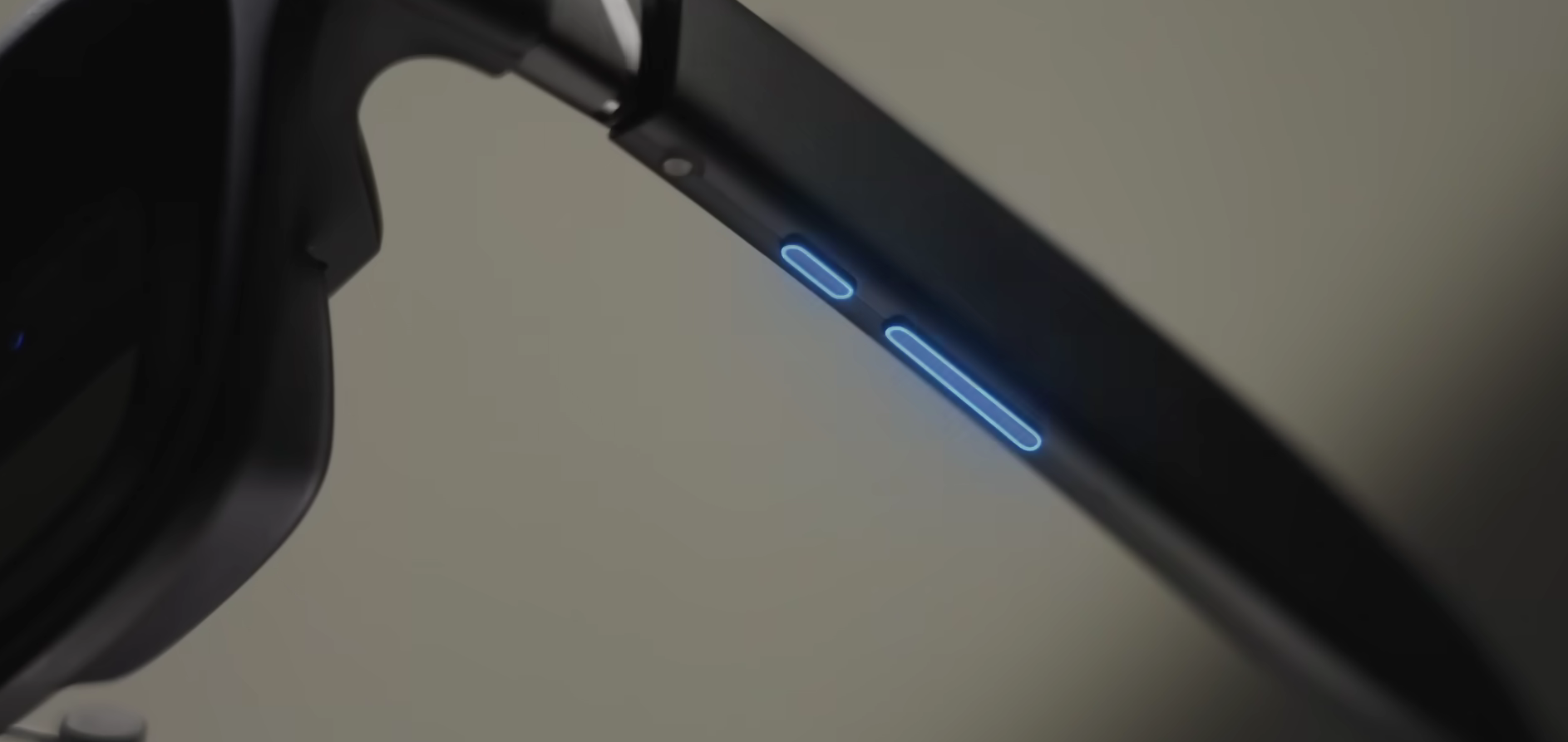
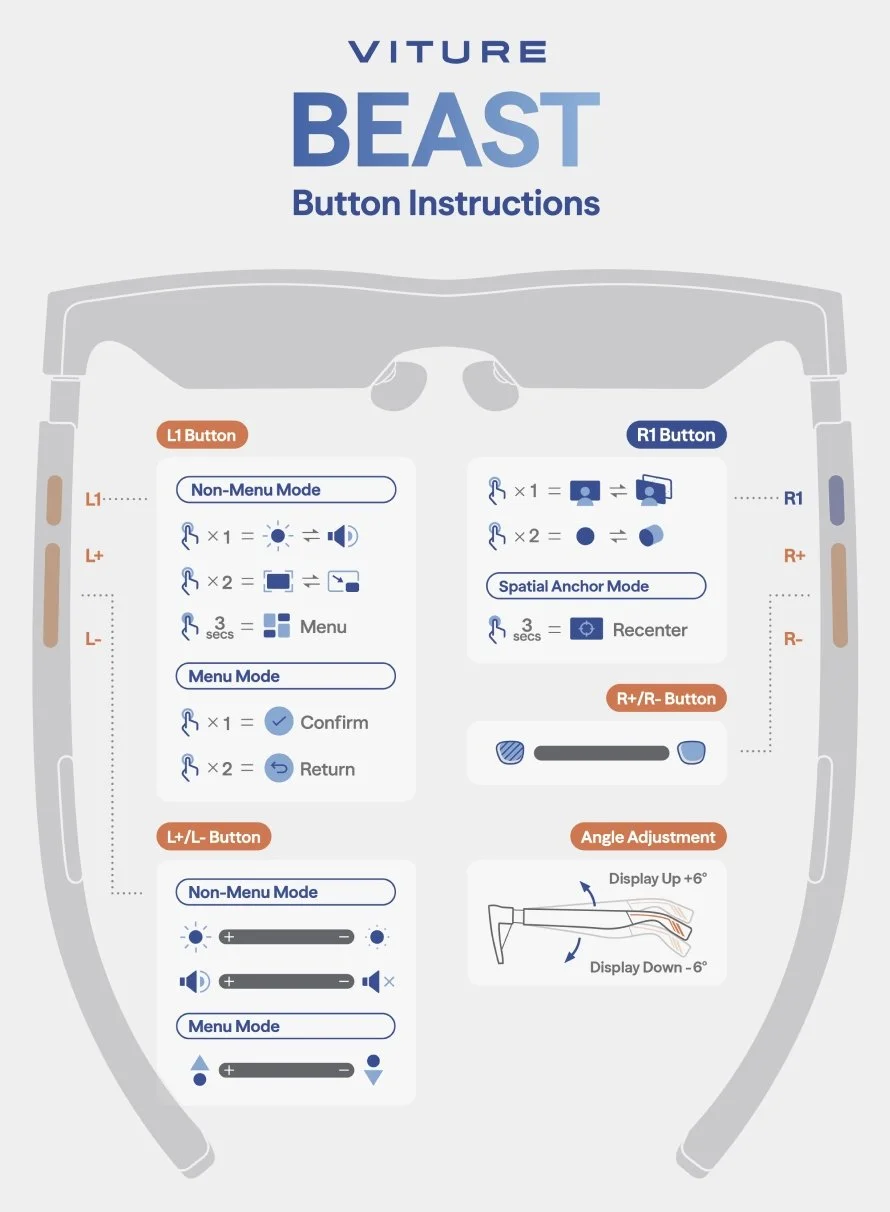
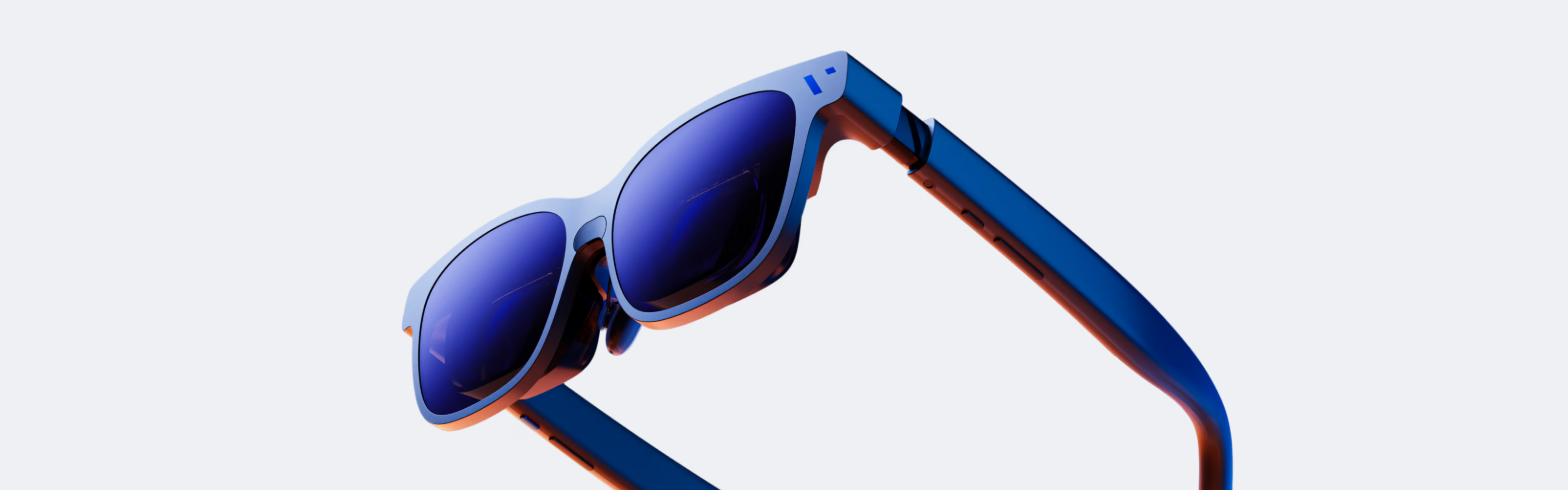
The glasses have a very sleek design with 6 active buttons.
Button Functions & Controls
Right Temple (Immersion & Display): Controls 3DoF (Three Degrees of Freedom) settings, electrochromic dimming, and screen modes (Anchor, Smooth Follow).
Short Press: Toggles between display modes (e.g., 0 DoF, Smooth Follow, Spatial Anchor).
Long Press: Adjusts electrochromic dimming (lens tint) or triggers specific spatial functions.
3D Mode: A long press on the button can engage 3D mode.
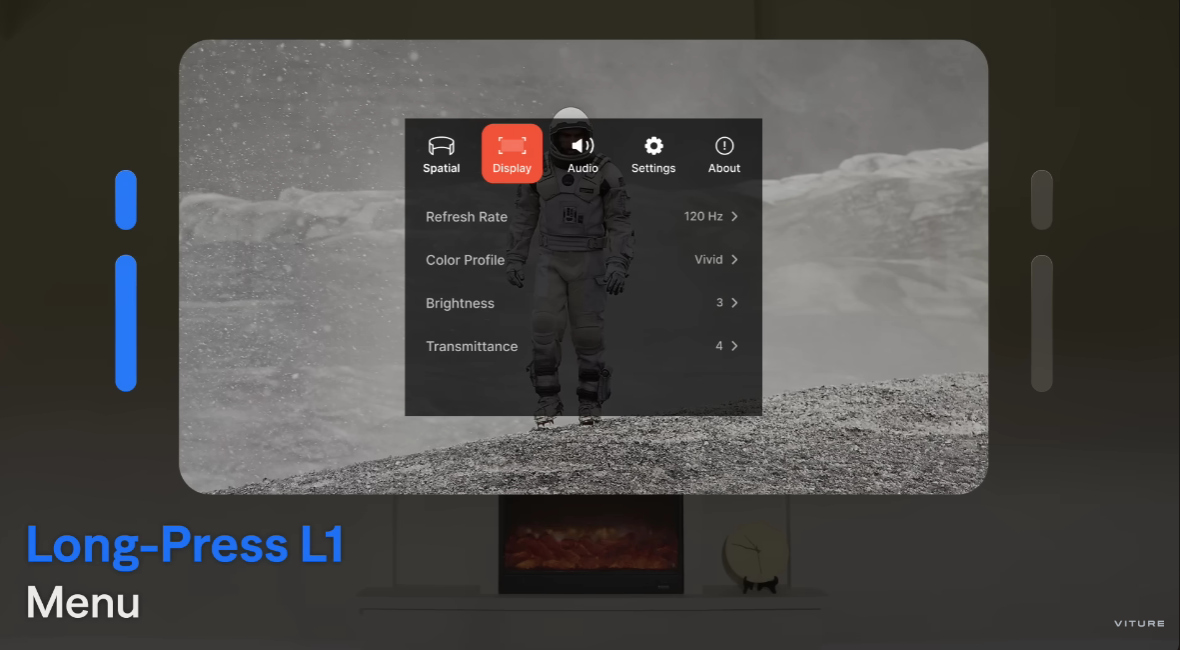
Left Temple (Navigation & Menu): Controls the in-glasses menu system, volume, and brightness.
Short Press: Navigates the on-screen menu or adjusts brightness/volume.
Long Press: Commonly used for selecting or confirming settings within the menu.
Menu/Settings: Navigated by the buttons to adjust screen size, distance, and color profiles.
Key Features Controlled by Buttons
Spatial Anchor: Pins the screen in space for a stable viewing experience.
Smooth Follow: Reduces motion sickness by having the screen follow head movements smoothly.
Electrochromic Dimming: Allows 9 levels of tint adjustment, with 0% and 100% being most useful.
2D-to-3D Conversion: Enables 3D content viewing.
The buttons are spaced nicely, easy to press, and are big enough where the temples are not too thick. The right temple main button is also a nice change of pace as it is blue, in contrast to the other buttons being black. It doesn’t help in functionality, but it provides a nice bit of color and sharpens the design.
As mentioned, this review is largely focused on the gaming aspects and use of the Beast XR, but that doesn’t mean you can’t find an extremely good case of buying these for productivity, as it accommodates several browser windows open at once, and easy plug and play compatibility with almost any laptop with USB C, or via the Mobile Dock with HDMI. I will say that the text could be fairly small to read, but that is easy to fix with simply increasing the font size via your laptop/browser.
The VITURE Beast XR glasses really opened my eyes to this type of tech and its purpose in the gaming space. While I likely won’t use the glasses at home due to the fact I have a TV right in front of me, I will absolutely take them with me to work, on long flights, and while I am in line at various conventions. If you have a Nintendo Switch 2 and bring it with you everywhere, or even a Steam Deck, or another PC handheld, the Beast XR glasses and the Mobile Dock should be part of your mobile kit as it fundamentally changes how I use my Switch 2 now.
I can’t think of a time I won’t bring the Beast VR glasses with me to work now, having that huge screen easily made available as I get in an hour or so of my Switch 2 on my break. These glasses are just that good, and I don’t think I’ll look at my Switch 2 the same way again.
VITURE Beast XR Glasses can be purchased at the following retailers: Amazon, Best Buy, VITURE Website and soon via our own affiliate link that helps support the website.
The Viture Beast XR Glasses, Mobile Dock, 8BitDo Controllers, Switch Mount, and the aforementioned items mentioned above were sent to the reviewer from VITURE for the purpose of this review.